
What is in the cross-stitch kit?
Every file in the archive you download, explained one by one: the working charts, the sheet map, the colour chart, the colour reference, the simulation, the thread list and the editable chart.
Every image below is a real page from a real archive: the Girl with Flowers pattern by József Borsos, 446 × 600 stitches and 33 Anchor colours. None of them are mock-ups.
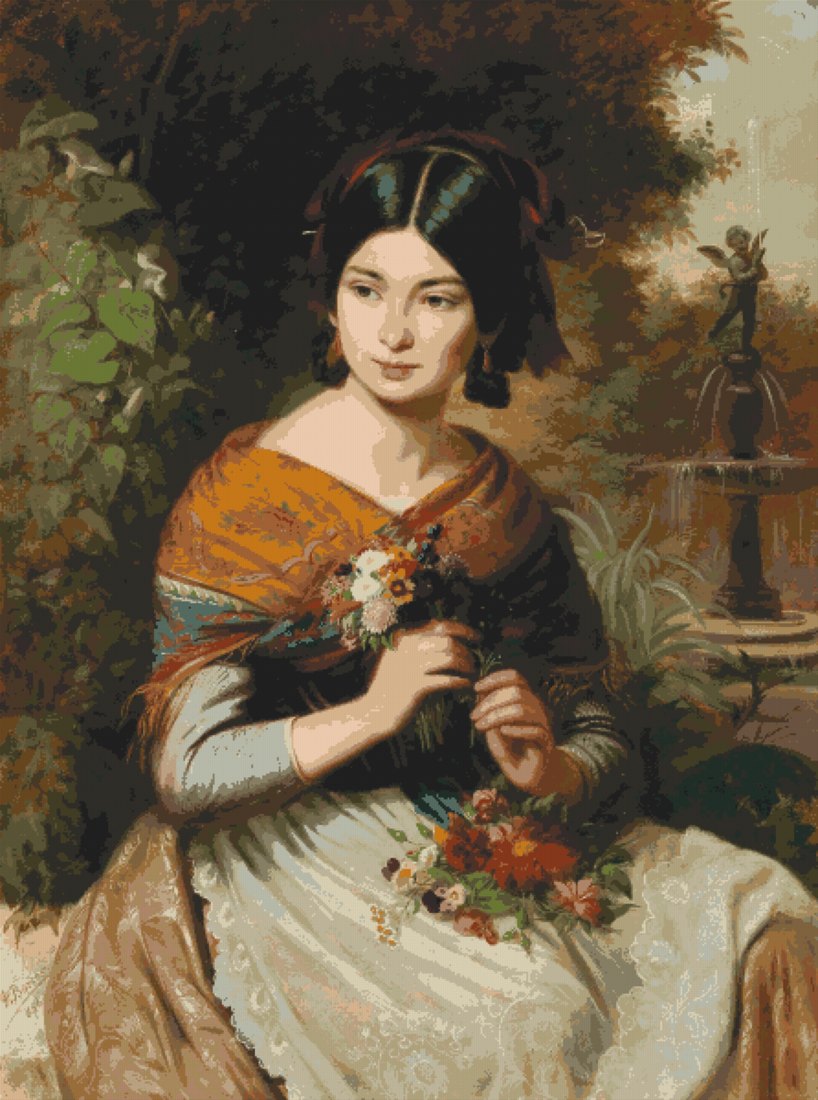
PNG image
The simulation of the finished piece
This is your photograph redrawn using nothing but the chosen thread colours, one cross stitch per pixel. It shows, as closely as anything can, how the finished piece will look before you buy the first skein.
It is worth studying: if a face looks flat here, or a sky looks stepped, it will look that way on the fabric too. It is the same picture you compared in the colour step, at full resolution.
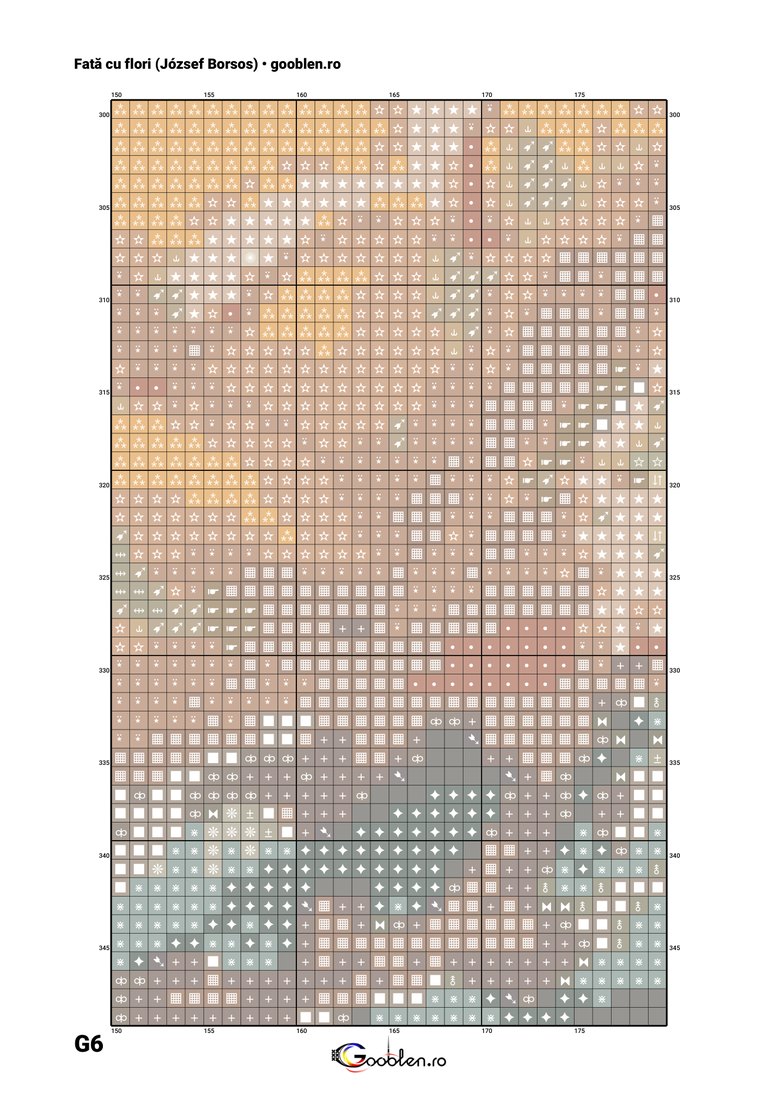
PDF, one page per sheet
The colour chart
The chart you actually stitch from. Each square is one cross stitch, filled with the thread's colour and carrying that colour's symbol. The symbol matters more than it looks: two close greys can be confused under evening light, but their symbols cannot.
The rulers on all four sides give the absolute position in the piece, not the position on the sheet. In the example alongside, columns run 150 to 179 and rows 300 to 349, so you always know where you are in the whole. Heavier lines fall every 10 stitches so you can count quickly.
The bottom-left corner carries the sheet's label, here G6. That is exactly the label used in the sheet map below.
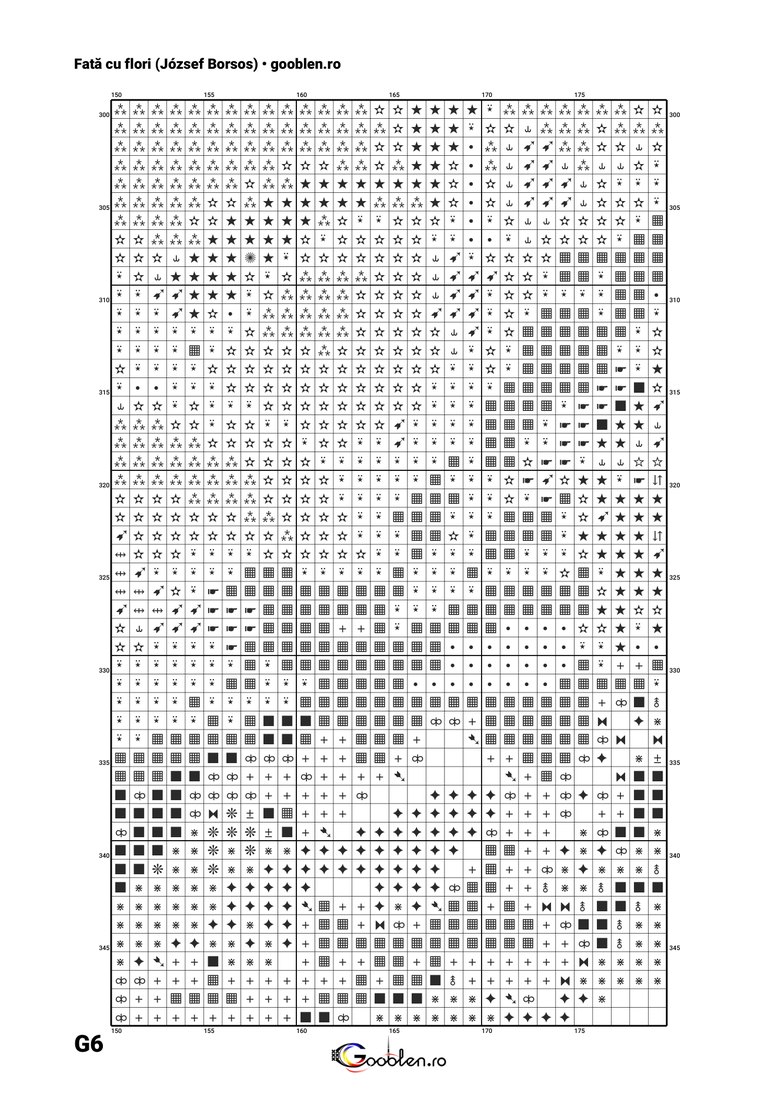
PDF, one page per sheet
The black and white chart
The same sheets, the same rulers, the same labels, but without the colour fill: only the symbols remain. It exists for two very practical reasons.
First, it prints at a fraction of the cost of the colour version, and a large piece means dozens of sheets. Second, printed colour is never exactly thread colour, and following it can lead you to the wrong skein. The symbol does not lie.
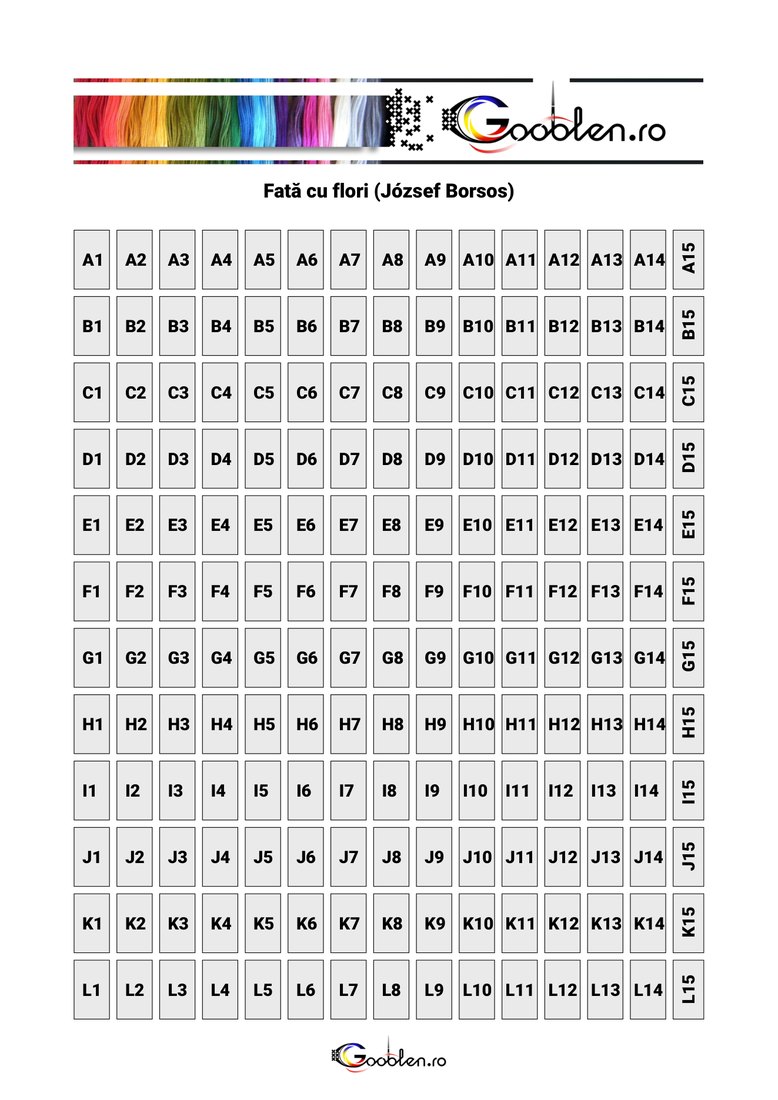
PDF, one page
The sheet map
It appears only when the piece does not fit on one sheet, which happens quickly: at 446 × 600 stitches this example spans 180 sheets, laid out 12 rows by 15 columns, because roughly 30 × 50 stitches fit on an A4 sheet.
The map shows which sheet covers which part of the piece. With it in front of you, the sheets tape together in the right order without guesswork, and when you come back after a break you find the sheet you stopped on straight away. The rightmost column is narrower because that is where the remainder falls.
PDF, summary and legend
The colour sheet
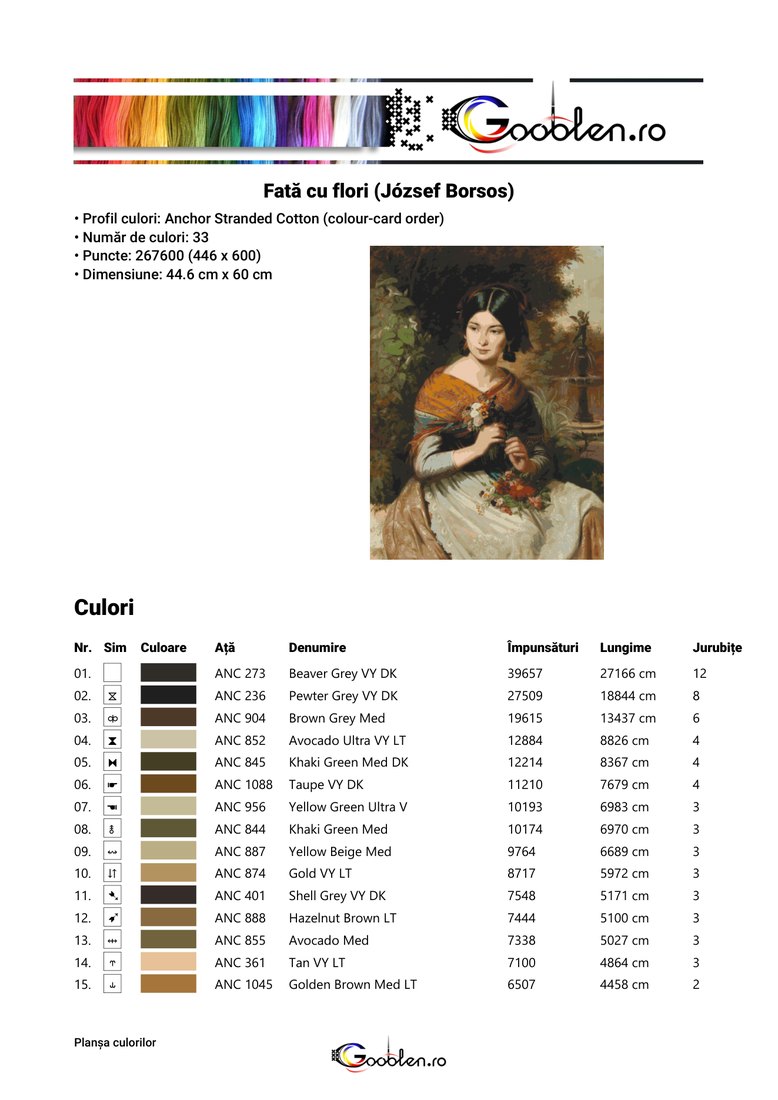
The page you take to the shop. The top carries the piece's own facts -- thread profile, colour count, stitch count and finished size -- alongside the simulation, so you know what you are buying for what.
Below it comes the table that ties everything together: the running number, the symbol used on the chart, a swatch of the colour, the thread code, the manufacturer's name, how many stitches that colour covers, how many centimetres of thread that is, and how many skeins you need. Rows are sorted by stitch count, so the colours that really matter come first.
PDF, one page
The colour reference
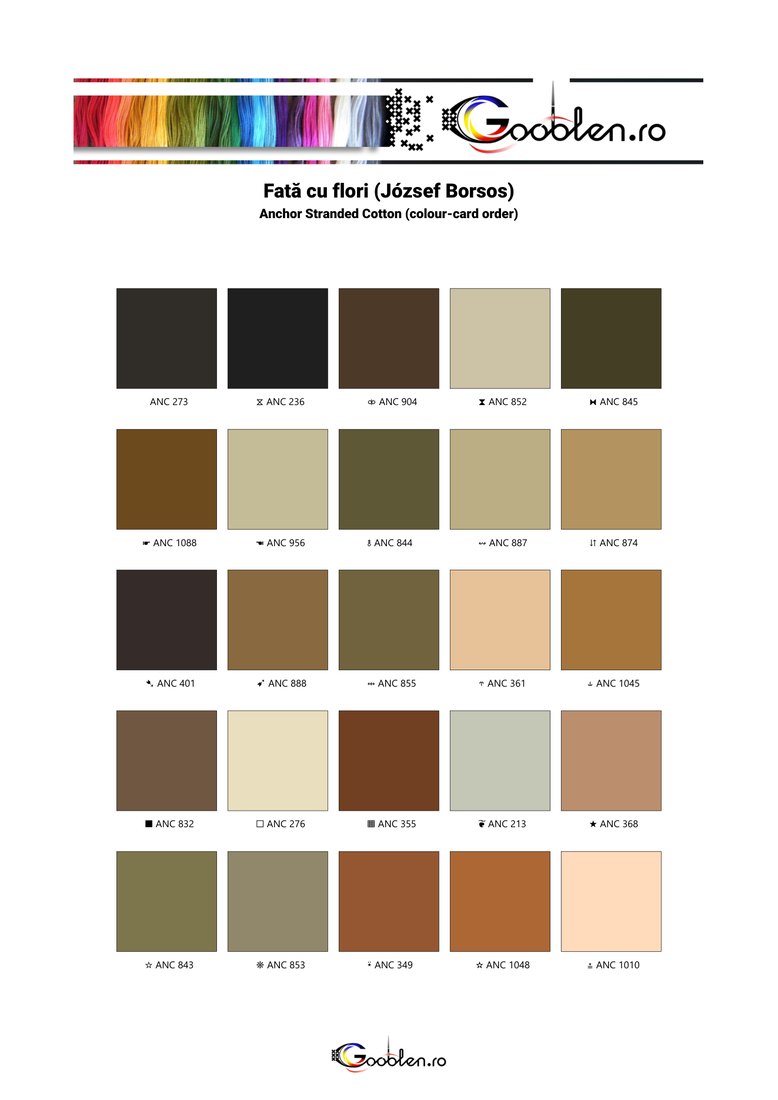
The same colours, but large and without figures around them: just the swatch, the symbol and the code. This is the page you glance at with a thread in your hand to confirm it is the right one.
Printed and kept beside the work, it stands in for the manufacturer's colour card, limited to exactly the threads you need.
TSV file
The thread list
A plain text file with three tab-separated columns: code, name and number of skeins. It opens directly in Excel, Numbers or Google Sheets, where you can add a price column, a column for what you already own, and turn it into your shopping list.
It exists separately from the PDFs precisely because it is machine-readable: a handsome PDF cannot be summed, a table can.
OXS file
The editable chart
Everything above is ultimately paper: you print it and that is that. This is the only file another program opens as a real chart, palette and all, with every stitch where it belongs.
The format is OXS (Open Cross Stitch), an open standard read by several chart editors and web importers. It is what you want if you mean to change a colour, crop an edge, add some lettering of your own - or if you stitch from a tablet, in an app that expects a pattern file rather than a PDF.
The colour numbering matches the printed colour sheet, so thread number 7 on paper is still number 7 on screen.